
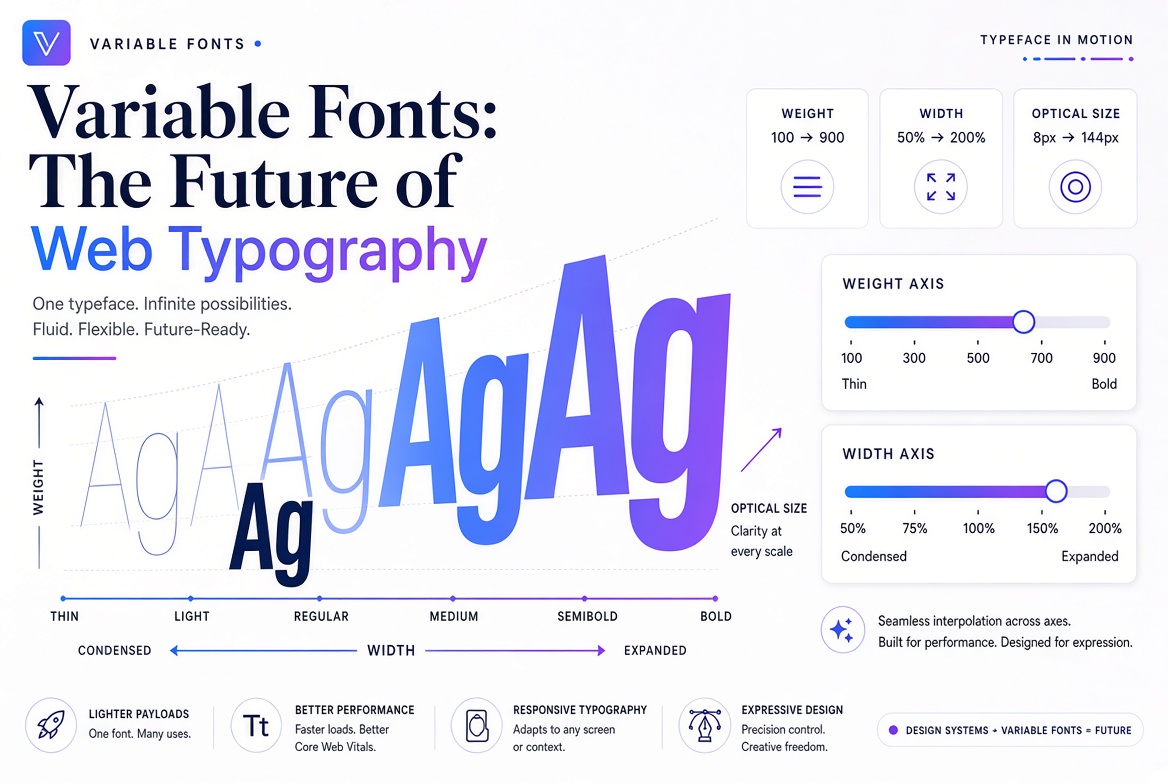
Variable Fonts: The Future of Web Typography
Until 2016, if you wanted a font in regular, bold, and italic, you needed three separate font files. Each file was a separate download, adding load time and complexity. Variable fonts changed everything.
What Is a Variable Font?
A variable font is a single font file that contains the entire design space of a typeface — every weight, width, slant, and optical size — defined as a continuous range rather than fixed steps. Instead of downloading Roboto-Regular.ttf, Roboto-Bold.ttf, and Roboto-Light.ttf separately, you download one file that contains all of them, plus every point in between.
The Axes of Variation
Variable fonts expose their flexibility through axes — named dimensions of variation you can control with CSS. The five registered axes are:
- wght — weight (100 to 900, controlling how bold the font is)
- wdth — width (how condensed or expanded the letterforms are)
- ital — italic (0 = upright, 1 = italic)
- slnt — slant (the angle of the letters, independent of italic styling)
- opsz — optical size (adjusts details for different display sizes)
Many fonts also include custom axes with creative names like GRAD (grade), YTAS (ascender height), or even completely custom parameters unique to that typeface.
Using Variable Fonts in CSS
The syntax is straightforward. Load the font with @font-face, then control it with font-variation-settings:
@font-face {
  font-family: 'Inter';
  src: url('Inter-Variable.woff2') format('woff2-variations');
  font-weight: 100 900;
}

h1 {
  font-family: 'Inter';
  font-weight: 750; /* any value from 100–900 */
}

.custom {
  font-variation-settings: 'wght' 650, 'wdth' 85;
}
The Performance Win
A complete font family (Regular, Medium, SemiBold, Bold, Italic versions of each) might be 5–8 separate files totalling 400–600 KB. The variable version of the same family is often a single 200–300 KB file. That's a meaningful improvement, especially on mobile connections. Variable fonts also reduce HTTP requests, which helps with page speed scores.
Where to Find Variable Fonts
Google Fonts serves variable versions of many popular fonts automatically. Just check for the "Variable" badge on a font's page. FontPlatform also labels variable fonts in the library. Look for Inter, Roboto Flex, Source Sans 3, Fraunces, and Recursive as great starting points.