
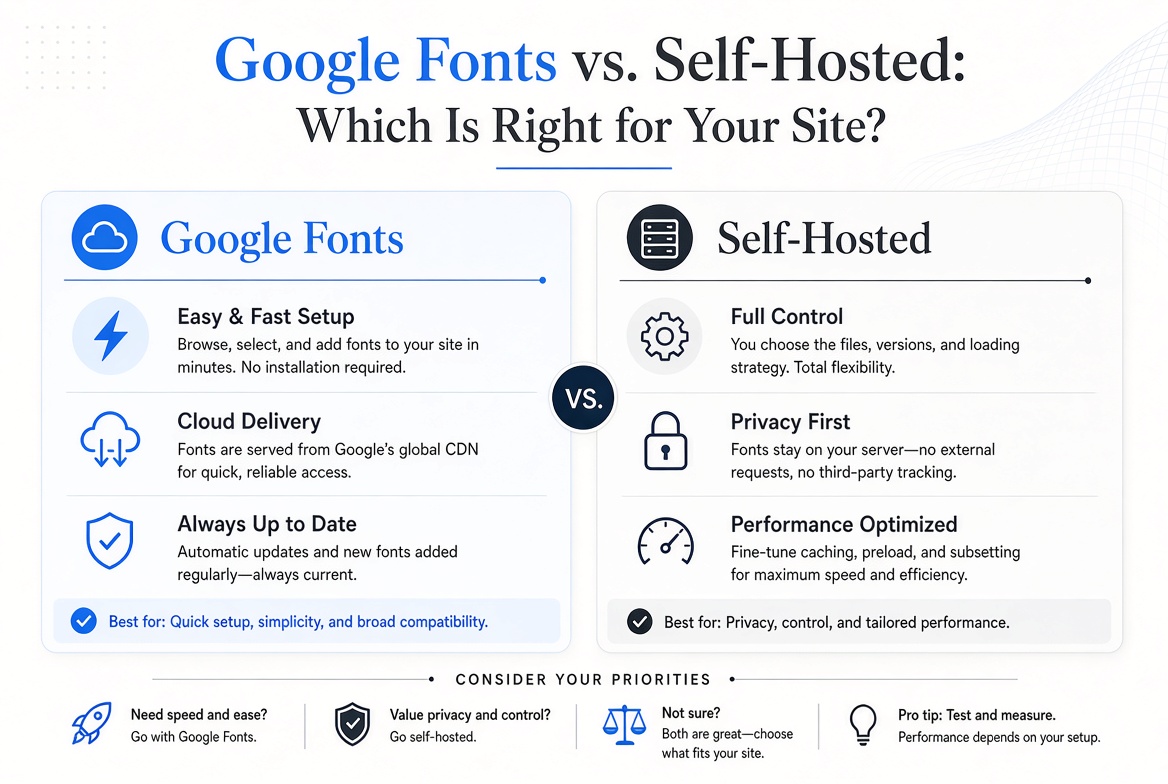
Google Fonts vs. Self-Hosted: Which Is Right for Your Site?
The Case for Google Fonts
Google Fonts is genuinely excellent for getting started quickly. You add two lines of code and your font loads. The library has 1,500+ fonts, all with open licenses. The CDN is fast and globally distributed. And because millions of sites use the same Google Fonts URLs, there's a decent chance your visitor's browser has already cached the font from another site they visited.
For small projects, personal sites, and rapid prototyping, Google Fonts is hard to beat on convenience alone.
The Case Against Google Fonts
Privacy and GDPR
When a visitor loads your site and your font comes from Google's servers, Google sees that request — including the visitor's IP address. In 2022, a German court fined a website operator for using Google Fonts without consent, ruling it a GDPR violation because it transferred IP addresses to servers in the US without user permission. This matters if you have European visitors.
Performance
Google Fonts requires a DNS lookup, a TCP connection, and an HTTP request to Google's servers — separate from your own server. With modern preconnect hints and HTTP/2, this overhead is small, but it's not zero. A self-hosted font served from your own domain eliminates those round trips entirely.
Control
Google has changed font files and delivery methods before. Self-hosting gives you a fixed version of the font that won't change without your knowledge.
How to Self-Host Google Fonts
The easiest path is google-webfonts-helper — paste in the font name, select your weights, and it generates the CSS and downloads the font files. Then:
- Upload the font files to your server (e.g., in a
/fonts/folder) - Add the generated
@font-faceCSS to your stylesheet - Remove the Google Fonts
<link>tag from your HTML
Performance Tips for Self-Hosted Fonts
- Use WOFF2 format — it's the most compressed and widely supported
- Add
font-display: swapto your @font-face to avoid invisible text while fonts load - Preload your most critical font file:
<link rel="preload" href="/fonts/inter.woff2" as="font" crossorigin> - Only load the weights and styles you actually use
The Verdict
For production sites — especially those with European audiences — self-hosting is the right choice. It's faster, GDPR-safe, and gives you complete control. For quick projects and prototypes, Google Fonts is perfectly fine. The good news: all the fonts on FontPlatform include the files you need for self-hosting.